Time tracking
Employees clock in on their phone, you approve the hours, and every correction keeps the original.
Clocking in and out takes one tap. Mistakes are fixed with a reason, approved hours are locked, and the export is ready when you close the pay period.
Create your free account
No card required.
Clock in, break, clock out
Employees use Regsta in the browser on their own phone or on a computer. There is nothing to install.
One tap for each step
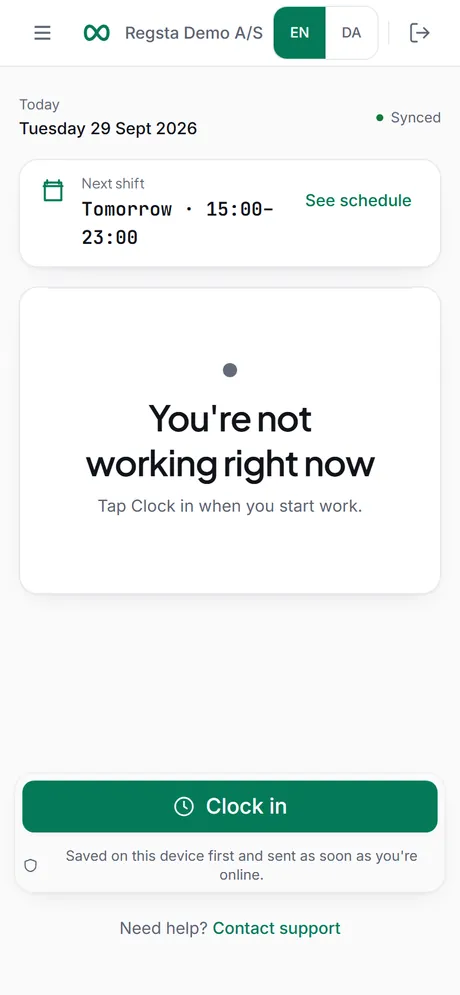
Clock in, Start break, End break and Clock out. The screen shows straight away whether the employee is working, on a break or finished.
Works without signal
If the connection drops, the clock actions are saved in the browser and sent in order when the phone is back online. Manual entries, corrections and approvals need a connection.
No double shifts
Each tap carries its own ID, so a tap that is sent twice is saved once. An employee can have one open shift at a time.
Clock out sends it for approval
When an employee clocks out, the shift goes to the manager as Awaiting approval.
Regsta does not track location, take photos at clock-in or use a shared time clock. Each employee clocks in on their own account.
When something is wrong
People forget to clock in, or tap at the wrong moment. You can fix it without losing what happened.
Manual entry
Forgot to clock in? The employee adds the shift afterwards with start, end, break and a reason. It can be at most 36 hours long and cannot end in the future.
Corrections keep the original
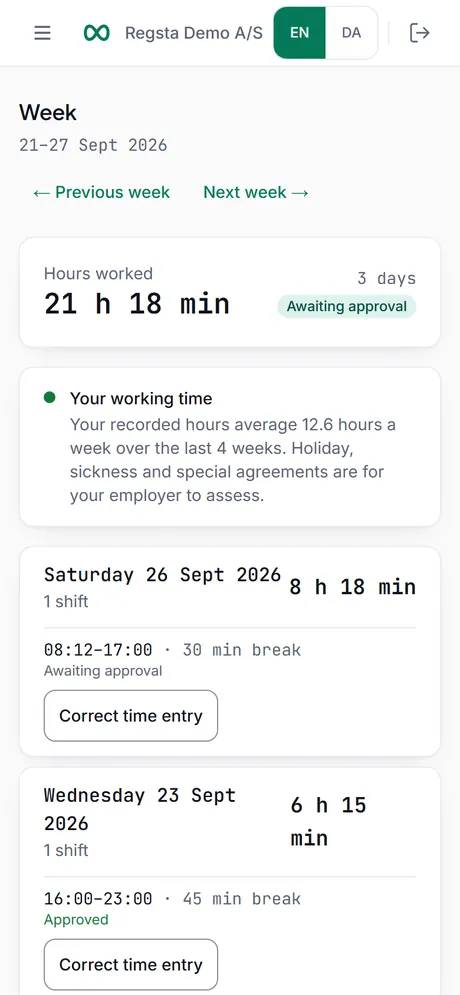
Employees ask for a correction from their Week page, and managers correct in Timesheets. The original is kept and locked, and the new version needs a reason and goes for approval.
Audit trail
Clock events, corrections and approvals are written to an audit trail that the database does not let anyone change or delete during the retention period.
Approve, close and export
Look at the hours against the plan, approve them, then give payroll a file.
Approve
One by one or together
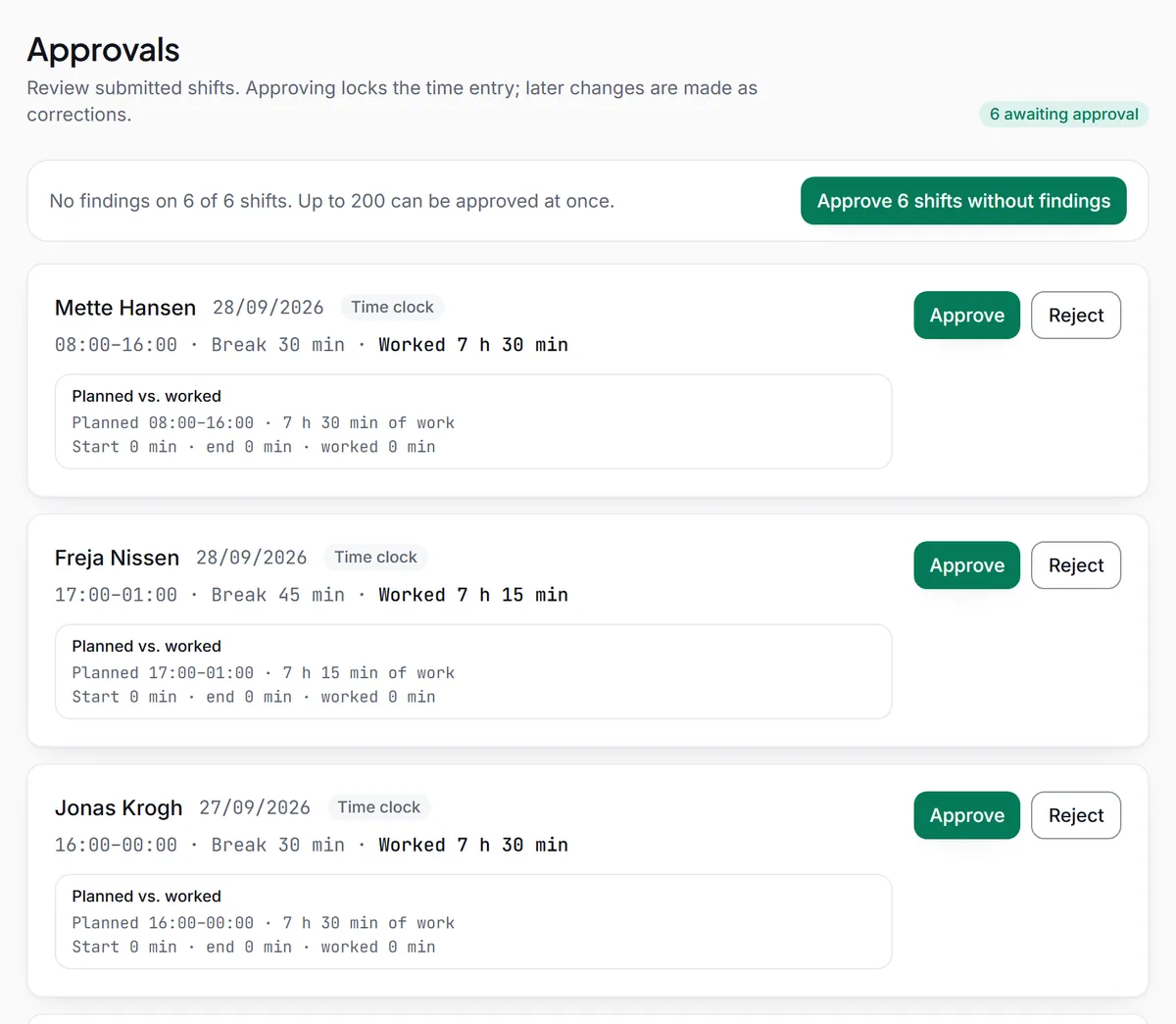
Each shift shows planned against worked time. Shifts without findings can be approved together, up to 200 at a time.
Reject with a reason
A rejected shift goes back to the employee with your reason, so they know what to correct.
Undo approval
Approved something by mistake? Undo approval also needs a reason, and the shift waits for approval again.
Approved hours are locked
After approval, a shift can only be changed through a correction.
Close and export
Close the pay period
When every shift in the period is approved, you can close it. Closing freezes the hours: nothing in the period can be changed or added until it is reopened with a reason.
Export
Download the hours in the format you need. Each export is logged with who made it and how many rows it has.
- CSV
- Excel
- Compliance report (PDF)
- Inspection folder (ZIP) with a SHA-256 file list
In Denmark, Regsta also makes payroll files for Danish payroll systems. Regsta in Denmark
Start tracking time with your team
Create your company, invite your employees and approve your first week of hours.