Time and attendance
Time and attendance software that shows who is working and what is missing
Regsta covers time and attendance for shift teams. The Today page shows who is clocked in or on a break, which entries have no clock-out and what waits for approval. Planned shifts are compared with the hours worked, working-time rules raise findings, and approved hours go to payroll.
Who is working right now
Attendance, as it happens.
On shift now
Today lists who is clocked in, since when, and who is on a break.
A count you can read at a glance
The Overview shows how many people are working and how many are on a break.
Activity as it comes in
Clock-ins, clock-outs, breaks, manual entries, approvals and corrections appear in the activity list, which updates automatically.
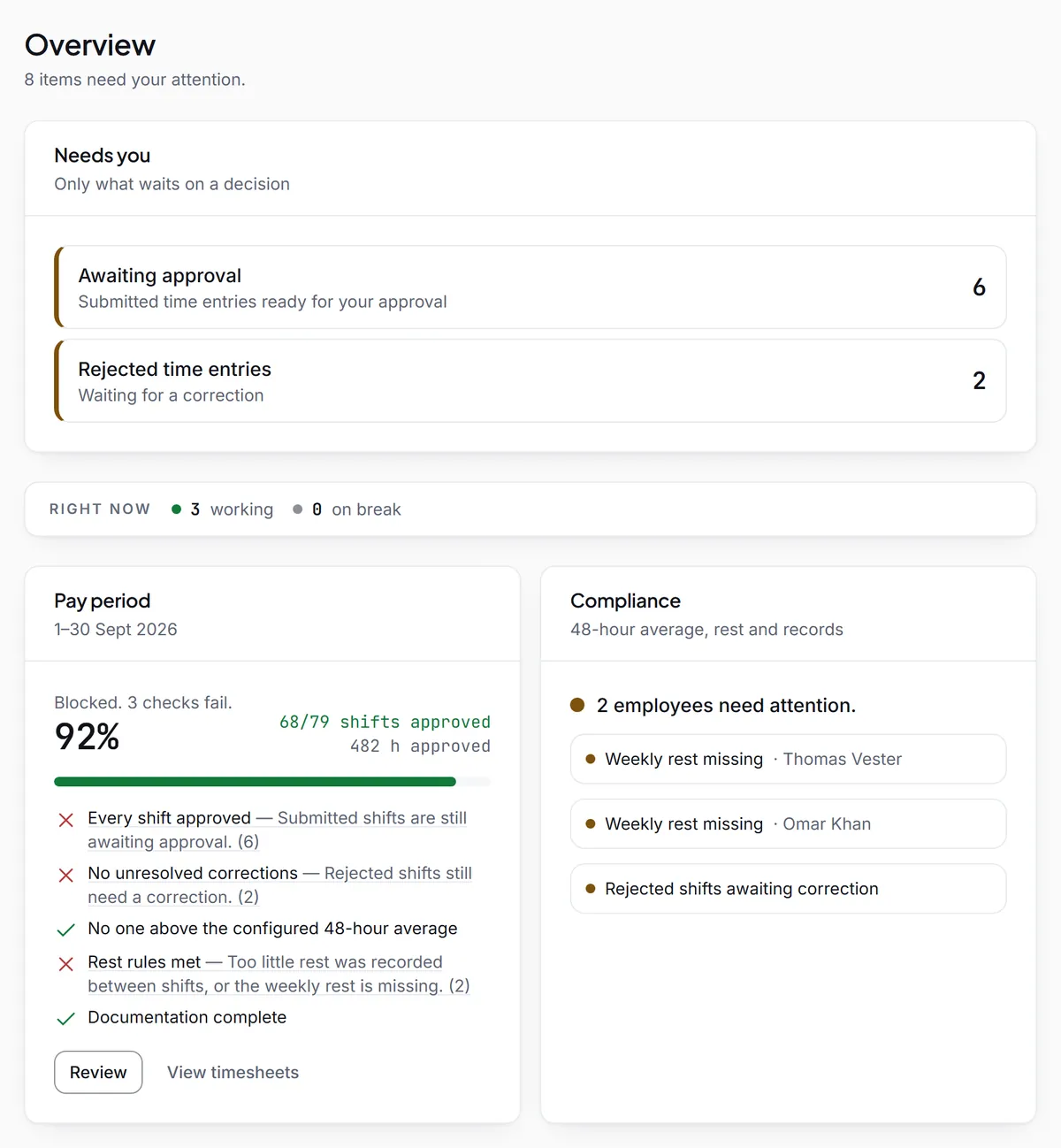
What needs a manager
The Needs you list shows only what waits on a decision.
Missing clock-outs
Entries from earlier days that were left open, ready to be corrected.
Awaiting approval and rejected
Time entries ready for approval, and rejected ones waiting for the employee to correct them.
Time off and cover
Time-off requests, and cover and open-shift requests, waiting for a decision.
Long shifts
Shifts over the limit, to check before approving.
Plan against worked time
Attendance is the gap between what was planned and what happened.
Later start, earlier finish
For approved entries linked to a planned shift, Regsta counts later starts and earlier finishes.
More or less work time
It also counts entries with more or less work time than planned, and how many match the plan to the minute.
These are plain differences from the plan. They are not overtime, pay or a judgement of anyone.
Working-time findings
Each company picks the rule set that applies to it.
One setting per company
The EU or UK statutory rules, the company's own limits, or off. Regsta warns about a breach and never blocks a time entry.
Record checks run regardless
Missing clock-outs, overlaps and a required reason are checked even when the working-time limits are off.
Ready for an inspection
The Inspection folder collects the audit trail, approvals, corrections and compliance status in one place.
Is the pay period ready
A strip on the Overview counts down to payroll.
Shifts approved
How many of the period's shifts are approved, out of the total.
What would be left out
People without an employee number or hourly rate are named, because the payroll file leaves them out.
Questions about time and attendance
- What is time and attendance software?
- It records when employees work and compares that with what was planned. In Regsta, employees clock in on their phone, managers see who is working and which entries are incomplete, and approved hours export for payroll.
- Can I see who is working right now?
- Yes. Today lists who is clocked in and since when, and who is on a break. The Overview shows the same as a count of people working and on a break.
- How does Regsta find missing clock-outs?
- An entry from an earlier day that has no clock-out is listed as a missing clock-out under Needs you, and in the Timesheets filter Not clocked out. A manager corrects it by setting the end time.
- Does it compare planned and actual hours?
- Yes, for approved entries that belong to a planned shift: later starts, earlier finishes, and more or less work time. They are plain differences and not overtime, pay or a judgement of anyone.
- Does it keep track of holiday balances?
- No. Employees request time off in whole days and a manager approves or rejects it, but Regsta keeps no holiday balances and has no sickness type.
See who is working in your team
Create your company, invite your employees and open Today.